PWA on Any Device
Save lizaroaussie.com to your home screen as a Progressive Web App on iOS or Android. It opens full-screen like a native app without taking up device storage.
Everything About the App at Lizaro
Every game, every promotion, and full AUD banking from your phone or tablet - no download, no app store, just open the browser and play.
How to Get Started on Mobile
Everything in Your Pocket
Every game, every promotion, and full AUD banking from your phone or tablet - no download, no app store, just open the browser and play.
Play on Your Phone Play responsibly: gambling can lead to addiction. 18+ only. Bonus terms and conditions apply.
Mobile Security at Lizaro
What You Should Do
What You Should Avoid
What Makes Lizaro Mobile Stand Out
PWA on Any Device
Save lizaroaussie.com to your home screen as a Progressive Web App on iOS or Android. It opens full-screen like a native app without taking up device storage.
PayID Banking on Mobile
Deposit and withdraw in AUD using PayID directly from the mobile cashier. Deposits are instant and PayID withdrawals typically settle within 24 hours once approved.
Biometric Login Support
Configure fingerprint or Face ID login through your mobile browser settings after signing in, so returning to your account takes a single touch.
Device Requirements
Android
iOS
Lizaro Mobile: Pros and Cons
Pros
Cons
Lizaro’s mobile platform delivers the complete desktop experience through a mobile-optimised website and a Progressive Web App, meaning no native download is required and nothing is stripped away for smaller screens. Every feature available on desktop, including the full 10,000+ game catalogue, the AUD cashier with PayID, the integrated sportsbook, live chat support, and all active promotions, is accessible from the mobile browser on iOS and Android.
The mobile interface organises games into the same categories found on desktop: pokies, live casino, table games, crash games, instant-win titles, and the sportsbook. Navigation is touch-optimised with category tabs and a search function that works efficiently even across a catalogue of 10,000+ titles. The cashier is a single-page flow, meaning a PayID deposit or withdrawal takes the same number of taps on mobile as on desktop. Promotions, including the daily cashback, live cashback, and Bonus Shop, are fully accessible and redeemable from within the mobile interface.

The mobile site and PWA are functionally identical to the desktop version in terms of game availability, banking options, and account management. The most visible differences are layout-related: the navigation collapses into a hamburger menu, game thumbnails resize for touch, and the live casino stream fills the screen in landscape mode. The PWA home screen shortcut also allows the browser’s address bar and tabs to be hidden, giving a cleaner full-screen experience that approximates a native app without the installation overhead.
There is no download file or app store installation for Lizaro. The PWA is created directly from lizaroaussie.com in your mobile browser using the “Add to Home Screen” function, which places a Lizaro icon on your device’s home screen that opens the site in a dedicated full-screen window.
Open Chrome (or another Chromium-based browser) on your Android device and navigate to lizaroaussie.com. Tap the three-dot menu in the top right corner, then tap “Add to Home Screen” and confirm with “Add”. The Lizaro icon will appear on your home screen. Tap it to open the PWA, then log in or register to begin. No storage permission or app install confirmation from Google Play is needed.
Open Safari on your iPhone or iPad and go to lizaroaussie.com. Tap the Share button (the box with an upward arrow) at the bottom of the screen, then scroll the share sheet and tap “Add to Home Screen”. Edit the display name if you prefer, then tap “Add” in the top right. The icon appears on your home screen. On iOS, only Safari supports the “Add to Home Screen” function for PWAs; Chrome on iOS will navigate to the site normally but cannot create a home screen shortcut in the same way.
If you prefer not to create a home screen shortcut, the mobile website at lizaroaussie.com works equally well accessed directly through the browser on every visit. Bookmark the page for faster access. The experience is the same as the PWA shortcut except the browser’s address bar remains visible.
The mobile game library is the complete Lizaro catalogue with no titles removed for mobile compatibility. All games are rendered in HTML5, which is the format used by every modern mobile browser, and are touch-adapted with controls scaled appropriately for finger navigation.
More than 10,000 pokies from Pragmatic Play, NetEnt, Play’n GO, Nolimit City, Hacksaw Gaming, Yggdrasil, BGaming, BetSoft Gaming, and Playson load natively in the mobile browser. High-variance titles including Gates of Olympus (Pragmatic Play, RTP 96.5%), Dead or Alive 2 (NetEnt, RTP 96.8%), and Money Train 3 (Nolimit City, RTP 96.1%) are all available in mobile play. The autoplay and turbo-spin controls are adapted for touch. Megaways pokies from Big Time Gaming display the dynamic reel configuration on mobile screens without losing legibility.

Evolution’s full suite of live dealer tables, including Lightning Roulette, Crazy Time, standard blackjack, baccarat, and exotic titles like Andar Bahar and Teen Patti, streams at full quality on mobile. OnAir, Bombay Live, and SA Gaming tables are equally accessible. A stable 4G or Wi-Fi connection is recommended for uninterrupted streaming. Portrait and landscape orientations are both supported, with landscape providing a wider table view during live sessions.

RNG versions of blackjack, roulette, baccarat, and poker variants from multiple providers are available for players who want the table game format without a live stream. These titles are particularly well-suited to mobile play given their low data requirements and fast round times.
The roughly 1,400 jackpot titles, with pools capable of exceeding $1,000,000, are accessible from mobile. The jackpot section can be filtered directly from the game lobby on mobile, and current jackpot values are displayed on each game thumbnail in real time.
New players can create a Lizaro account directly from the mobile browser. Tap the register option on lizaroaussie.com, enter your email address, set a secure password, provide your personal details, confirm you are 18 or over, and select AUD as your account currency. The entire process takes approximately two minutes. Your email address is confirmed by clicking the link sent to your inbox, after which the full account and cashier are immediately accessible.
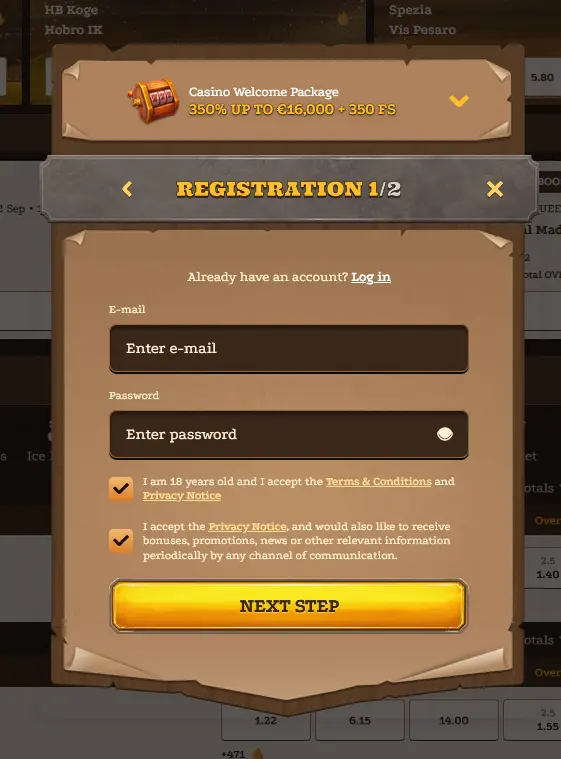
During registration, enabling two-factor authentication and setting your preferred responsible gambling limits from the start are recommended steps. Both can be configured during sign-up or from account settings afterwards.
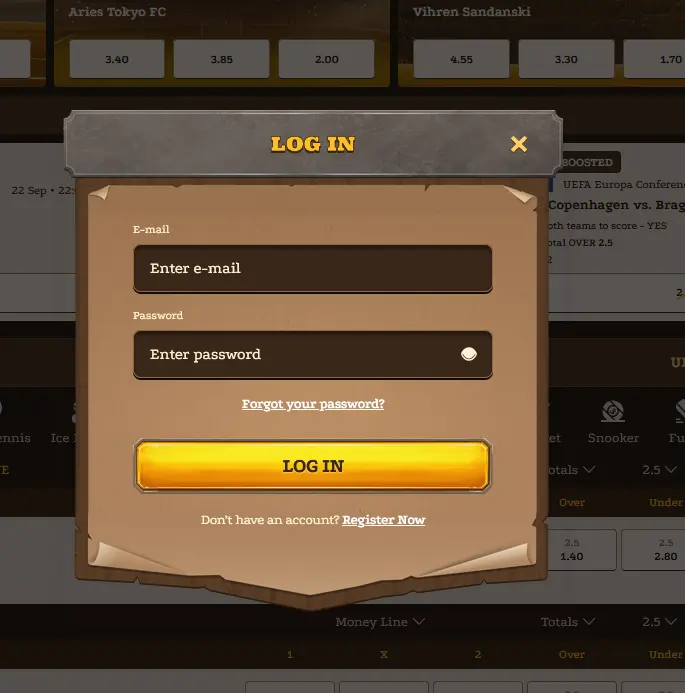
On return visits, open lizaroaussie.com or the home screen shortcut, enter your email and password, and proceed through any 2FA prompt if enabled. Biometric login can be configured through your mobile browser’s credential manager after your first successful sign-in, allowing fingerprint or Face ID verification to fill your credentials on subsequent visits.
Every interaction with lizaroaussie.com on mobile is protected by 256-bit SSL encryption, the same standard applied to desktop sessions. Sligo Ltd. implements KYC verification before processing any withdrawal, enforces session-token expiry after inactivity, and stores password credentials in hashed form that is inaccessible even to support staff.
SSL/TLS encryption is active on all pages, including the cashier, login screen, and game lobby. Transactions processed through PayID, Visa, Mastercard, and e-wallets on mobile pass through PCI-compliant payment infrastructure, ensuring that your card and bank details are not transmitted in plaintext at any point.
Two-factor authentication is available to all Lizaro account holders and can be enabled from the security section of account settings. Once active, a time-limited TOTP code from your authentication app is required at every new login, making it significantly harder for an unauthorised party to access your account even if your password is obtained.
Mobile browsers on iOS (Safari) and Android (Chrome) support biometric credential storage, allowing your Lizaro login details to be unlocked with fingerprint or Face ID after the first authenticated session. This feature is managed by your device’s operating system and browser, meaning Lizaro itself never receives or stores your biometric data.
The mobile cashier at Lizaro is functionally identical to the desktop version. All payment methods accepted on desktop are available on mobile, and no features of the payment flow are reduced for the smaller screen.
PayID is the fastest deposit and withdrawal option for Australian players, settling deposits instantly and typically completing withdrawals within 24 hours of approval. Visa, Mastercard, Skrill, Neteller, MiFinity, Neosurf, Apple Pay (on iOS), Paysafecard, bank transfer, and cryptocurrencies including Bitcoin, Ethereum, Litecoin, and Tether are all available through the mobile cashier. No fees are charged on deposits or withdrawals.
| Method | Deposit Speed | Withdrawal Speed |
|---|---|---|
| PayID | Instant | Up to 24 hrs |
| Skrill / Neteller | Instant | 1-3 days |
| Visa / Mastercard | Instant | 1-3 days |
| Bank Transfer | 1-3 days | 1-3 days |
| Cryptocurrency | Minutes | 1-3 days |
| Neosurf | Instant | Deposit only |
Withdrawal processing at Lizaro targets 1 to 3 business days across most methods, with PayID and cryptocurrency typically completing at the faster end of that range. First-time withdrawals are subject to KYC review, which is the most common cause of delay. Completing identity verification before your first withdrawal request, by uploading your Australian driver’s licence or passport plus a proof of address such as a utility bill or bank statement, ensures that subsequent cashouts process without interruption.
All transactions through the mobile cashier are protected by 256-bit SSL encryption. The same PCI-compliant payment infrastructure used on desktop applies equally to mobile sessions, and no additional security steps are required when banking from a smartphone or tablet beyond the standard login authentication.
All bonus offers available on the Lizaro desktop site are accessible from the mobile browser and PWA, with no mobile-specific exclusions. The full terms and activation steps for each promotion are covered in detail on the bonus page.
The 350% welcome package worth up to $16,000 plus 350 free spins on Pragmatic Play pokies can be activated entirely from mobile. The minimum qualifying deposit of $30 can be made via PayID, Neosurf, Visa, or any other available method through the mobile cashier. Free spins are credited to the nominated pokies immediately after each qualifying deposit is processed. Daily cashback of 15% up to $400 and live cashback of 25% up to $200 also work from the mobile promotions page. This offer is open to players aged 18 and over only.

Lizaro’s mobile platform targets all current iOS and Android devices through HTML5 browser technology. Because the PWA runs entirely in the browser rather than as a compiled native app, there is no minimum OS version in the traditional sense: any device running a current version of Safari (iOS) or Chrome (Android) is compatible. Older devices with outdated browser versions may encounter performance limitations on high-demand titles such as live casino streams and Megaways pokies.
The PWA and mobile site at lizaroaussie.com work on Android devices running Chrome, Firefox, or Samsung Internet. No minimum Android version is specified by Lizaro, but maintaining an up-to-date browser provides the best performance.
On Apple devices, Safari is the recommended browser. The Add to Home Screen PWA function is supported on current iOS versions. No minimum iOS version is specified by Lizaro, but current iOS on iPhone or iPad provides the most consistent experience.
| Device | Access Method | Recommended Browser |
|---|---|---|
| Android phones and tablets | PWA or mobile browser | Chrome, Firefox, Samsung Internet |
| iPhone and iPad | PWA or mobile browser | Safari |
| Windows / Mac laptop | Desktop browser | Chrome, Firefox, Edge, Safari |
The same 24/7 support available on desktop is fully accessible from mobile. The live chat widget appears on every page of the mobile site and within the PWA, allowing you to reach the support team without leaving your session or switching apps.
Live chat connects you to the Lizaro support team in real time and is the fastest route for questions about deposits, bonus activation, KYC document submission, and account access. Email support is available at [email protected] for detailed queries, document attachments, or formal account requests. Response times for email queries may be longer than live chat, particularly during peak periods.
Responsible gambling tools, including deposit limits, loss limits, session time limits, a cool-off period, and self-exclusion, are accessible from account settings on mobile at any time. These controls apply immediately once set and do not require a support request to activate. If your gaming is becoming a concern, these tools are the fastest route to taking back control. Lizaro partners with Gambling Therapy for players who need external support. All real-money play requires players to be 18 or over.
Mobile App Questions
No, Lizaro does not have a native app on Google Play or the App Store. Mobile access is via the Progressive Web App at lizaroaussie.com, which can be saved to your home screen and opens like a native app.
Yes, Evolution live dealer games including Lightning Roulette and Crazy Time are optimised for mobile streaming, though a stable 4G or Wi-Fi connection is recommended to maintain video quality throughout a session.
Yes, PayID is fully supported in the mobile cashier. Deposits are instant and withdrawals typically settle within 24 hours once approved, the same as on desktop.
Play Lizaro on Mobile Now
Take 350% up to $16,000 plus 350 free spins on your first deposits.
Enter the Saloon Play responsibly: gambling can lead to addiction. 18+ only. Bonus terms and conditions apply.